Some traditions carry management secrets hidden inside rituals.
The Kanne Swami custom from the Ayyappa pilgrimage is one of them.
A structure so human that even the best corporate handbooks can’t quite touch it.
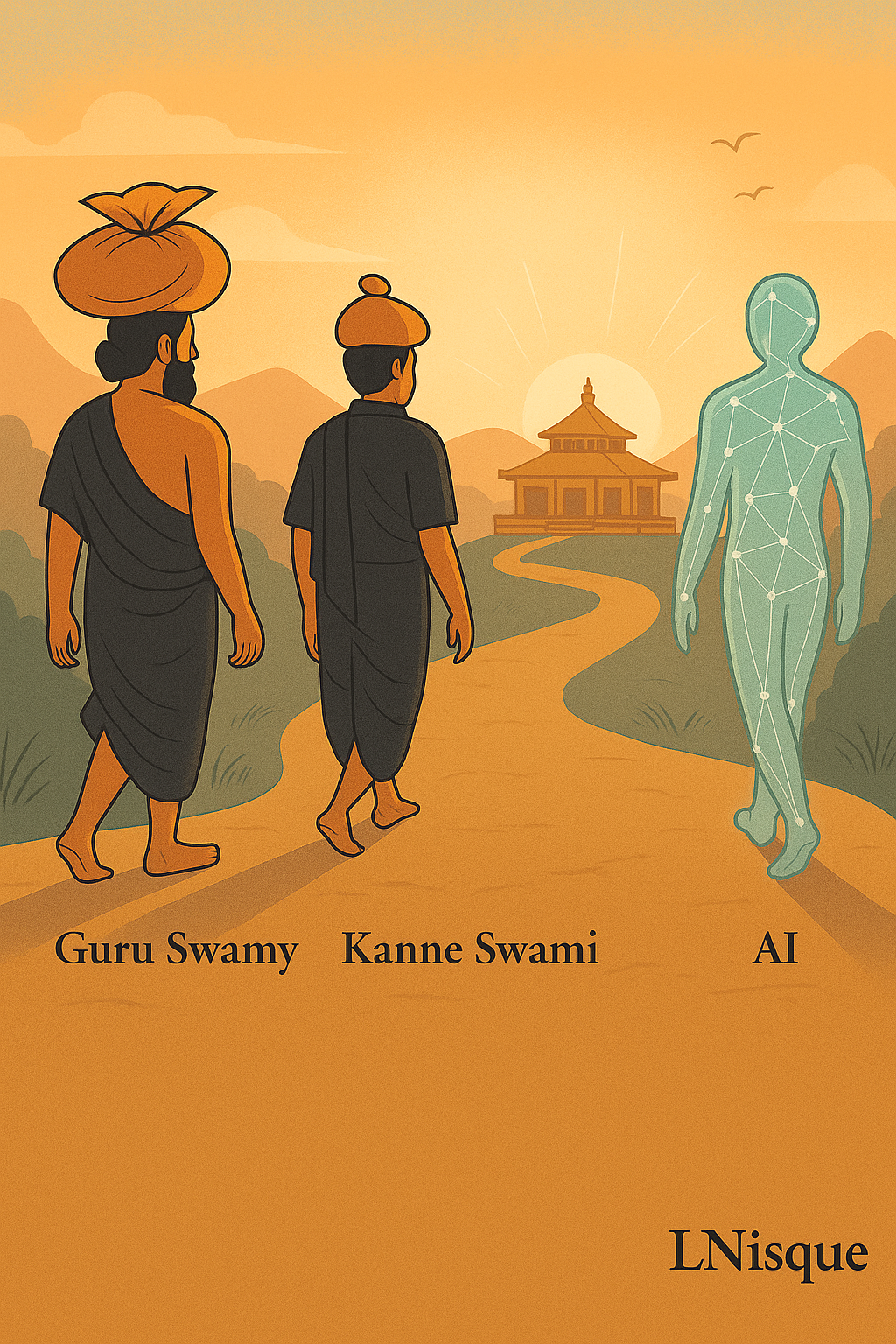
Every first-time pilgrim, the Kanne Swami, walks under the care of a Guru Swamy. Someone who has done the journey before. Someone who remembers the fear, the fatigue, the feeling of not knowing what lies beyond the next hill. The Guru doesn’t instruct from a distance. He walks beside the novice. Watches. Corrects. Encourages.
It’s mentorship without bureaucracy.
Discipline without coldness.
And care that doesn’t require an app.
Now imagine a company doing that.
A workplace that feels like a pilgrimage
Picture a new hire on their first day.
They’ve cleared interviews, signed forms, logged in, smiled through the icebreaker round. Then what? Usually, silence.
An inbox full of welcome messages that mean well but sound rehearsed.
A manager too busy to explain what “ownership” really means.
A team that helps politely but never deeply.
What if that person was treated as a Kanne Swami?
Guided with sincerity, not policy. Paired with someone who feels responsible for their initiation, not just their output.
A Guru Swamy at work would not be another “buddy” from HR.
He or she would be a custodian of learning. The person who ensures that the first 41 days of the new member’s journey feel grounded, ethical, and alive.
Every culture that survives more than a century has some version of this.
The Japanese senpai–kohai system. The guild apprenticeships of Europe.
And here in India, the Guru–Śiṣya bond. The Ayyappa tradition simply gave it ritual clarity.
The modern company can too.
What ancient India already understood about leadership
Our texts and customs weren’t management manuals, but they carried psychological precision.
The Guru–Śiṣya paramparā wasn’t just about transferring knowledge. It was about transmitting restraint, intuition, and self-control. The mentor watched how the student moved through frustration. The real lesson wasn’t the mantra; it was how to stay still when the world tested you.
Sevā bhāva taught that service purifies ego.
A true guide serves the learner’s growth, not his own reputation.
Atithi Devo Bhava reminded communities that newcomers bring divine potential.
Even the Gītā quietly handed managers a code: Karmanye vadhikaraste ma phaleshu kadachana. Do your duty, but let go of the reward.
That line, taken seriously, can clean entire boardrooms.
We keep calling this philosophy. It’s actually process design.
A cultural operating system, written in poetry.
The science caught up later
Psychology took two thousand years to name what the sages practiced daily.
Amy Edmondson called it psychological safety.
Google made it famous through Project Aristotle.
Every study since then says the same thing. Teams thrive when people can speak without fear.
Fear is what ruins most first-time experiences.
The first code deployment. The first client call. The first on-air appearance.
One mistake, and it haunts you.
A Guru Swamy neutralizes that fear. Not by removing risk, but by standing nearby.
Even AI systems—predictive ones, at least—run on something similar: feedback loops and safety nets. A team that encourages early vulnerability behaves like a well-trained model that’s constantly improving through gentle correction.
Funny how science ends up rediscovering faith with spreadsheets.
Translating pilgrimage into management practice
Let’s turn this into structure.
Every time someone in your company does something for the first time, they’re a Kanne Swami.
A new hire.
A first-time team lead.
A developer pushing production code.
A salesperson pitching a global client.
Even an executive leading their first crisis.
Each deserves a guide. Someone with enough scar tissue to teach through calm.
The company can formalize this with small rituals, not heavy frameworks.
- The 41-Day Frame: The first six weeks are sacred. They include orientation, shadowing, and reflection. The Guru ensures rhythm, not just routine.
- The Two-Pouch Method: Inspired by the Irumudi the pilgrim carries. One pouch for learning goals. The other for contributions made during the journey.
- The Safety Phrase: A simple, pre-agreed sentence any member can use to pause action when things feel wrong. Something human like, “Hold. Let’s rethink.” It must be honored instantly.
- Completion Rite: After 41 days, both the guide and the learner sit together to reflect. The learner thanks, but the guide doesn’t take credit. The circle closes quietly.
Small, human mechanics. Yet they carry deep order.
Rituals aren’t weakness
In fact, they create accountability without paperwork.
Every religion, military, and school that works well has rituals because rituals bypass bureaucracy. They create shared meaning fast.
A prayer, a salute, a morning sync-up—all function the same way: alignment through rhythm.
Corporate life tried to replace ritual with tools, but tools can’t carry reverence.
So when someone becomes a Guru Swamy inside an organization, give them that dignity.
Not a badge. Not a slide deck.
A quiet recognition that they are guardians of culture.
And culture, as Peter Drucker warned, still eats strategy for breakfast.
What movies already taught us about guidance
We’ve seen this pattern in cinema again and again.
In Chak De! India, the coach isn’t training hockey players. He’s rebuilding belief. He doesn’t reward obedience; he rewards trust.
In 3 Idiots, learning flows sideways—friend to friend, not top-down. Humor becomes pedagogy.
In Super 30, the teacher’s power lies in hunger shared with students, not distance.
Even Guru (2007) hides mentorship in ambition. Behind the swagger of business growth stands a quiet influence, a voice that asks harder questions.
Movies get it because stories remember what systems forget: that transformation is personal before it becomes organizational.
Bringing AI into the circle
Now the modern twist.
What happens when you bring AI into this human equation?
AI can’t bless you, but it can remember you.
It can keep a record of learnings, patterns, hesitations, blind spots. It can nudge both the mentor and the learner gently: “You missed two check-ins.” or “You’ve asked fewer questions this week.”
AI can play the role of the silent observer—the third pilgrim. It never sleeps, never forgets, and can hold mirrors without judgment.
Think of it as the keeper of the pilgrimage diary.
The Guru Swamy guides through emotion. The Kanne Swami learns through experience.
AI preserves their journey for the next generation.
And when done right, it doesn’t replace the bond. It deepens it.
Because now the wisdom stays even after both have moved on.
This is what intelligent mentorship could look like. A trinity of presence: Human, Learner, Machine. Each aware, each humble.
Where the system breaks (and how to keep it alive)
Of course, rituals decay fast in corporations.
Titles creep in. Ego returns. Mentorship becomes KPI. The sacred becomes symbolic.
That’s where vigilance matters.
A Guru Swamy cannot be the learner’s boss.
He or she must hold space, not authority.
Feedback must travel both ways.
If the guide talks too much, the system fails. If the learner flatters too much, it fails again.
Honesty is the only incense worth burning.
And every six months, rotate roles.
Let learners become guides. Let guides return to learning.
The cycle keeps humility fresh.
Because once people start saying “I’m done learning,” decline has already started, even if numbers still look fine.
The invisible outcomes
Companies that design this consciously will notice strange results.
Meetings get quieter, but deeper.
Attrition drops, not because of perks, but because belonging becomes visible.
People start describing their managers as “protective,” not “demanding.”
Errors reduce. Reflection increases.
All this without new software, slogans, or all-hands pep talks.
Just a reintroduction of old-world care into high-speed business.
The future might actually belong to organizations that treat onboarding as initiation, not information download.
The AI parallel, again
There’s another way to see this.
Large Language Models, at their core, learn like disciples.
They absorb examples, refine responses through correction, and evolve through fine-tuning.
Their growth depends on human supervision, alignment, and calibration.
Isn’t that what mentorship really is? Fine-tuning a human through feedback until their internal model aligns with shared values.
Now imagine combining that principle consciously.
Each Guru Swamy in a company could have an AI co-pilot that records learnings, tracks questions asked by past Kanne Swamis, and generates a “wisdom log” for new ones.
The AI doesn’t command. It curates.
A digital archive of lessons from countless pilgrimages across projects, departments, and years.
That’s not science fiction. It’s good documentation with a soul.
The paradox of progress
Technology races forward.
Human depth often lags.
In a rush to automate, we risk forgetting the warmth that makes structure meaningful.
A Kanne Swami framework doesn’t slow progress. It gives progress roots.
And roots are what stop speed from turning into chaos.
AI can predict, suggest, summarize. But it can’t bless effort, can’t feel another’s struggle, can’t see pride in someone’s first small win.
For that, you still need the human beside you.
Progress without mentorship is noise.
Progress with care becomes tradition.
What success looks like when done right
A few years into such a system, your company would look different.
Not in its products, but in its posture.
You’d hear stories like:
“She was my first Guru Swamy here.”
Or, “He taught me how to pause before responding.”
You’d notice people quoting lessons instead of policies.
Meetings would start later but end faster.
Trust would feel less like a word on posters and more like an atmosphere in the hallway.
That’s the test.
When behavior travels through imitation, not enforcement, you’ve created culture.
Returning to the mountain
In the end, the pilgrimage to Sabarimala is physical, emotional, communal.
Everyone carries the Irumudi, walks barefoot, sings the same chant, and reaches the same temple.
Yet every person’s journey is different.
Organizations could learn from that.
Equality in rules. Diversity in experience. Shared rhythm. Personal meaning.
Because when a team walks together that way, success stops being a race. It becomes a yatra.
And maybe that’s the secret we’ve forgotten in the age of dashboards and deadlines.
That a journey, whether to a temple or to market leadership, feels complete only when someone wiser walks beside you, reminding you to breathe, to focus, to keep faith.
The last vow
Treat every newcomer as sacred responsibility, not replaceable labor.
Let AI hold the checklist.
Let humans hold the promise.
Because true leadership isn’t measured by how far you go.
It’s measured by how many you take with you.